Stage 1 — From VMware VM to Kubernetes-Managed VM
Look first. Turn on Learning Mode only if you want a short explanation under each picture.
This page explains Stages 1A to 1H. Its diagrams show the state after Stage 1H, when the Kubernetes target was still a design. Stage 1I later built that design on a temporary single-node kubeadm cluster on AWS EC2, migrated the VM to KubeVirt, validated it and destroyed the target. See the Stage 1I visual guide.
Understand the story
Stop after this level and you already know what Stage 1 accomplished.The big picture
Stage 1 moved step by step from the VMware world into the KVM world, and stopped at the edge of the Kubernetes world. 1A to 1G happened in the lab: the disk was copied cold, converted and booted under KVM. 1H is a design on paper. Running it on Kubernetes and modernizing it come later. 1B is a side branch that taught the KVM building blocks.
Stage 1 map: eight steps, one story
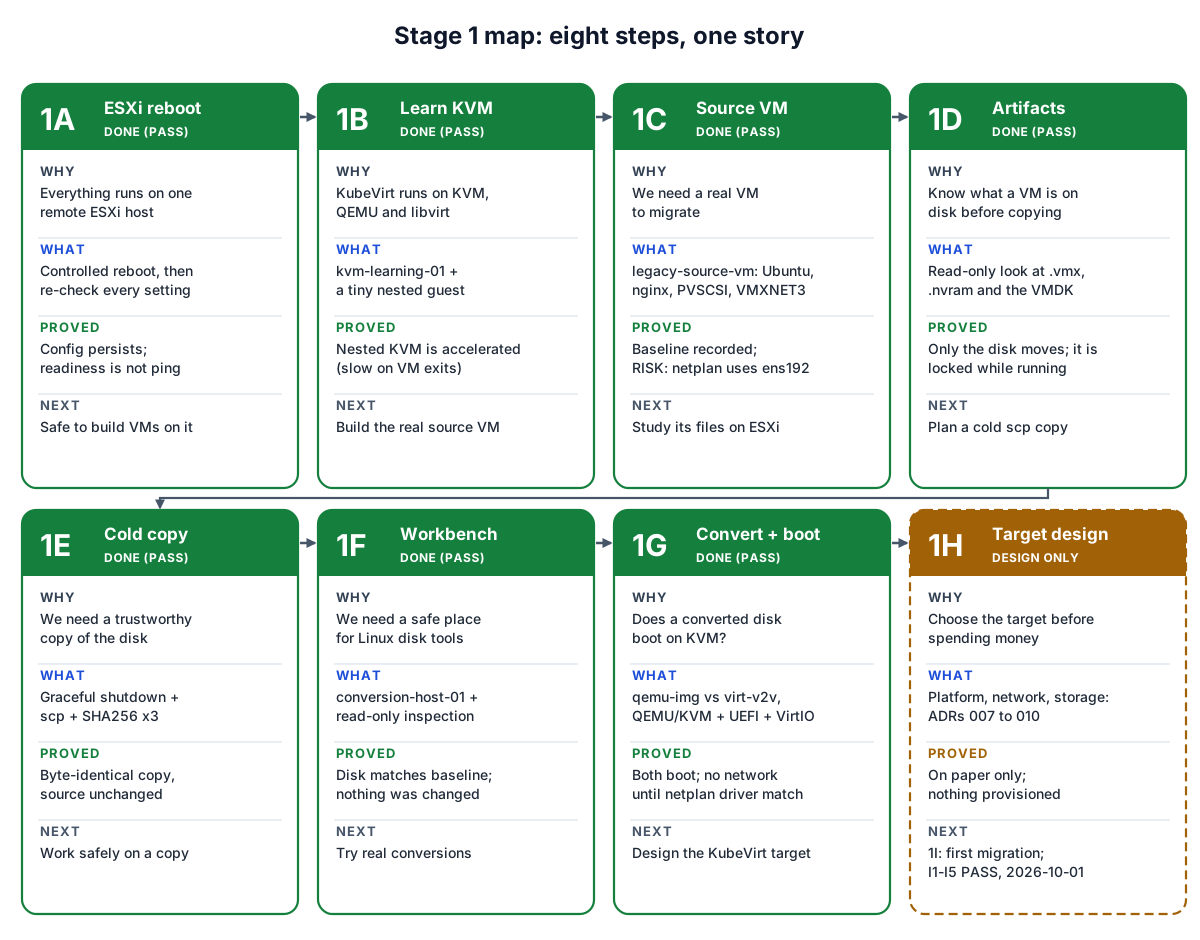
Each card answers four questions. Every step removes one unknown the next step depends on. It starts with "is the host stable?" and ends with "what should the target look like?".
Three worlds: what changes, what stays
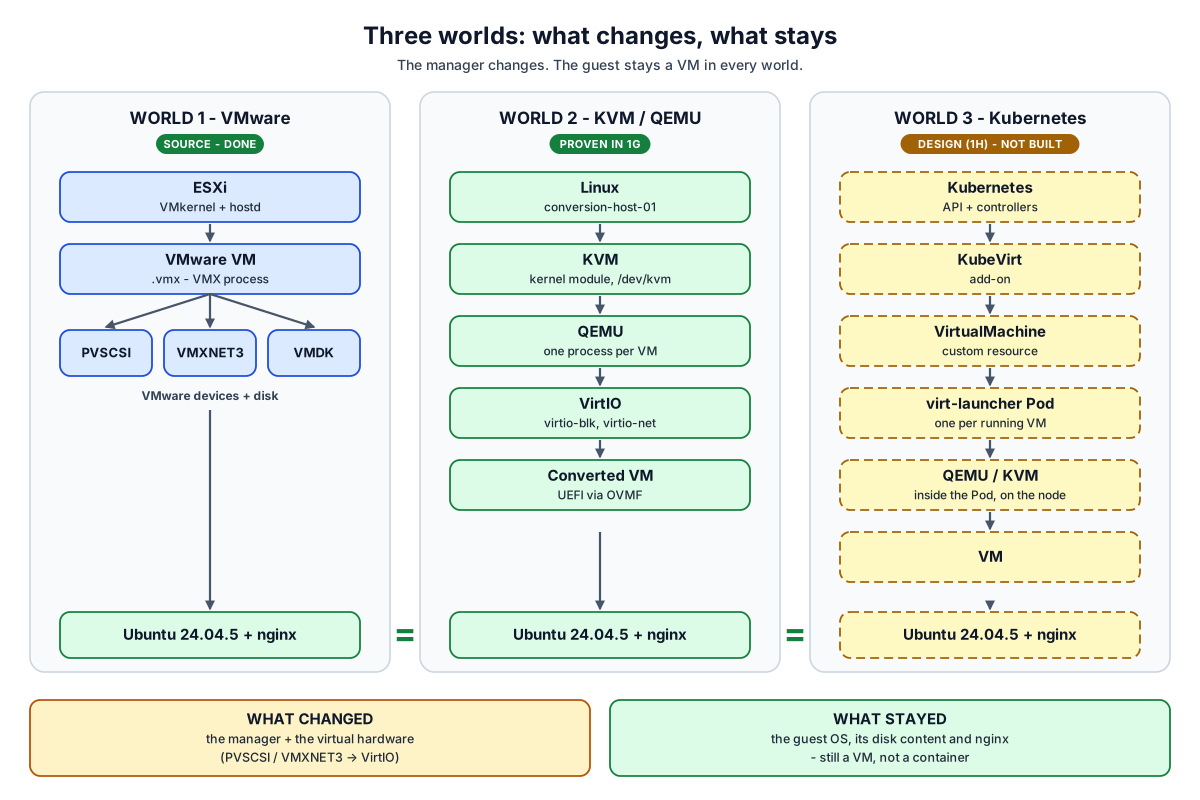
The manager changes from ESXi, to KVM plus QEMU, to Kubernetes plus KubeVirt. The virtual hardware changes from VMware devices to VirtIO. The guest does not change: the same Ubuntu and nginx, still a VM.
Understand the components
What exists, and what a VM is made of.Our actual lab
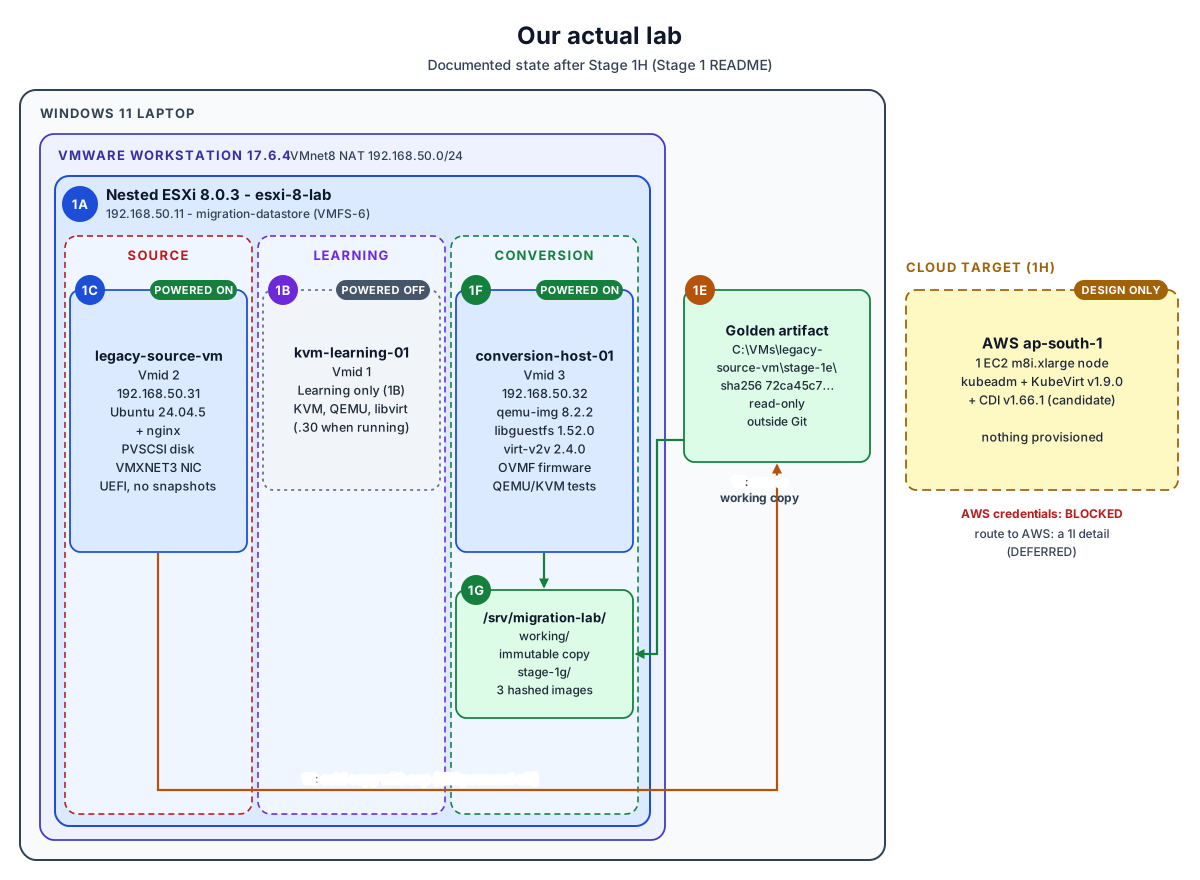
Everything runs on one laptop, three layers deep. There are three VMs with separate jobs: source (legacy-source-vm, running), learning (kvm-learning-01, off after 1H, later used as the Stage 1I jump host) and conversion (conversion-host-01, running). The golden disk copy lives on Windows, outside VMware. The AWS target did not exist at the end of Stage 1H; Stage 1I built it temporarily and then destroyed it.
What is a VM? More than a disk
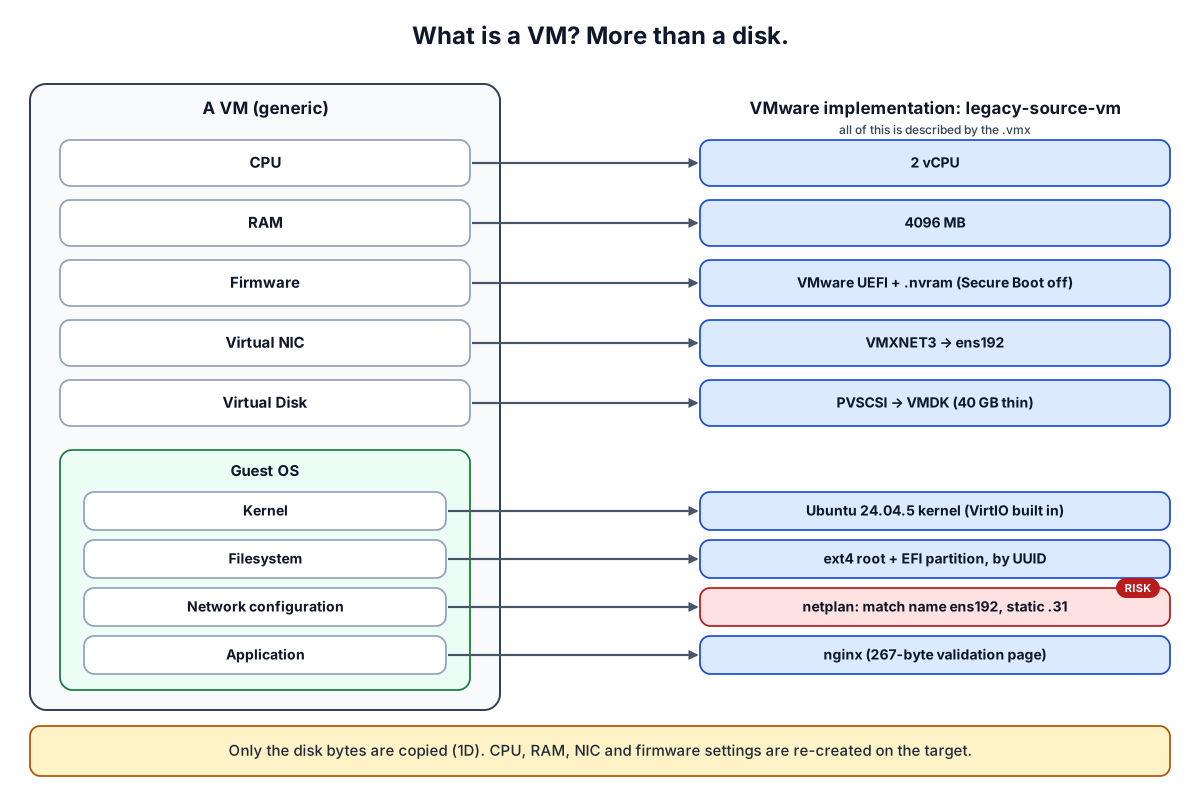
A VM has virtual CPU, memory, firmware, NIC, disk and a guest OS. Only the disk bytes are copied. Everything else is re-created on the target, so any guest setting tied to VMware hardware becomes a risk.
VMDK anatomy
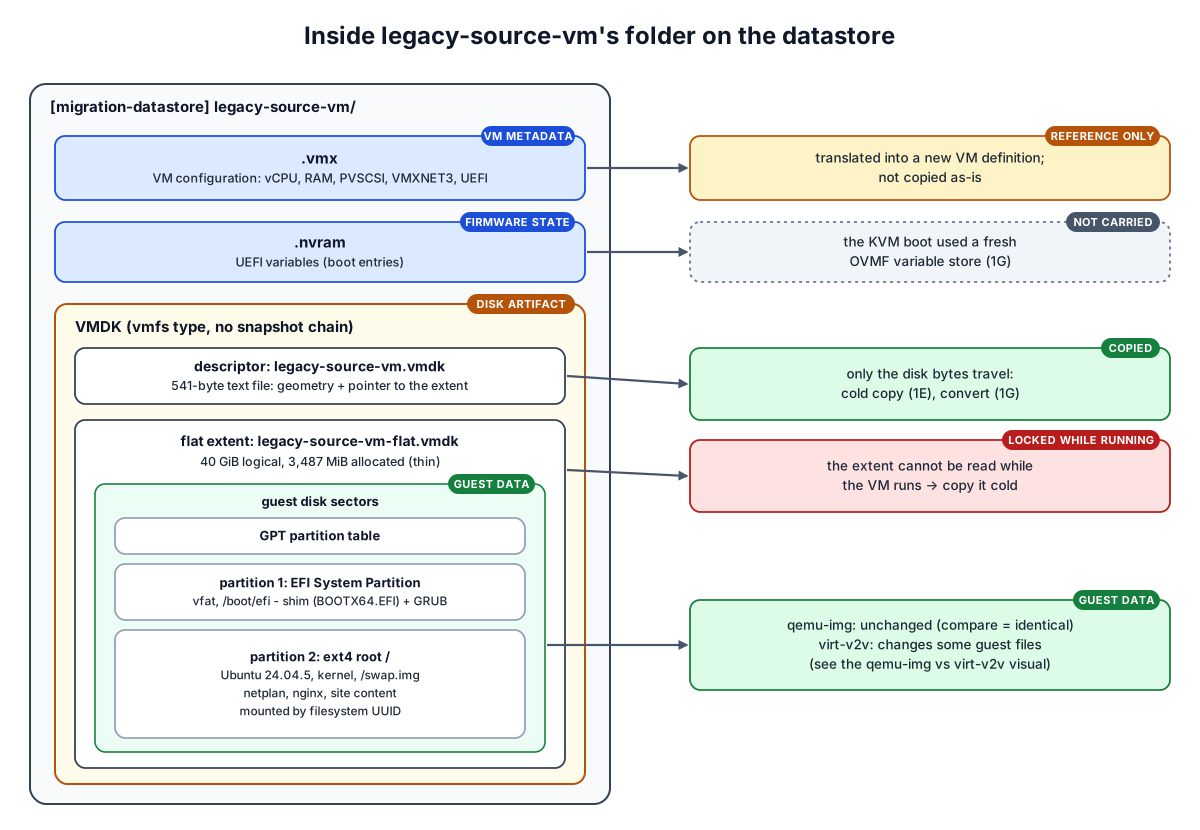
The .vmx is reference only and the .nvram is not carried. The VMDK is a small text descriptor plus a 40 GiB data file that holds the real guest disk: GPT, an EFI partition and ext4 root. That data file is locked while the VM runs.
KubeVirt mental model
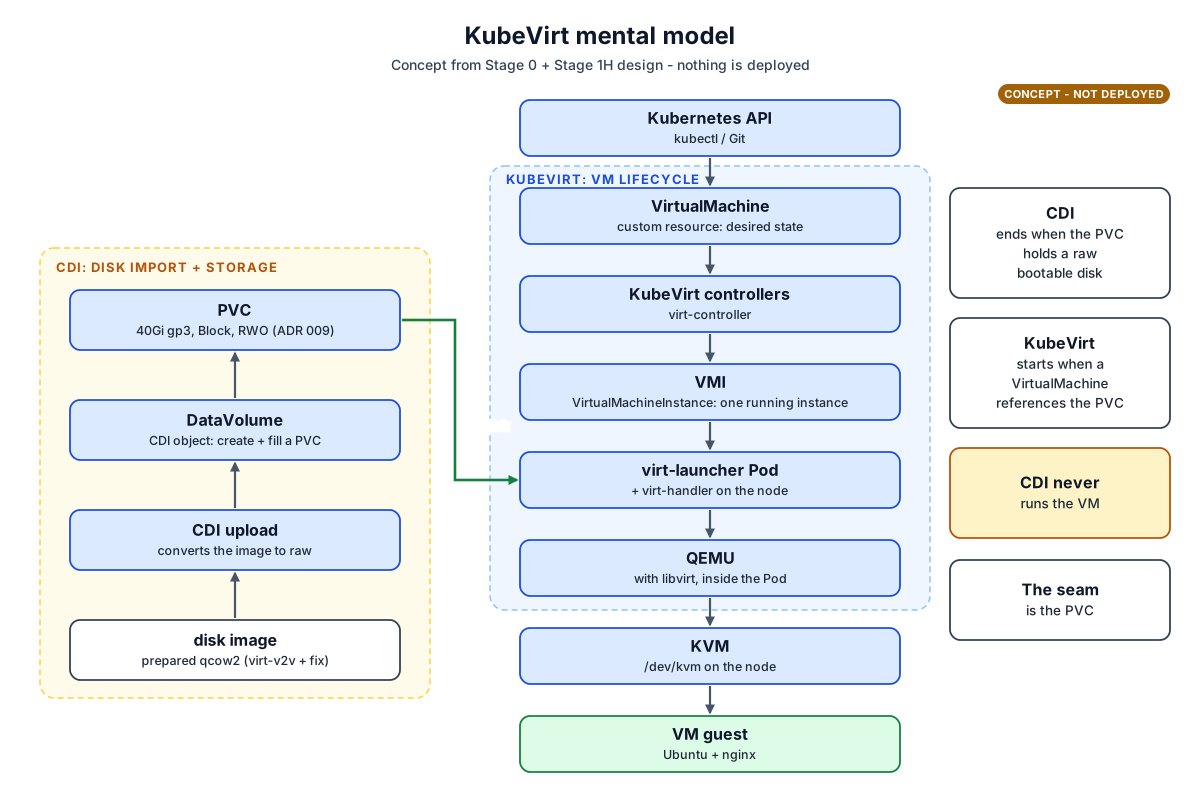
CDI puts the disk into a PVC (import or upload, stored raw). KubeVirt runs the VM: VirtualMachine, then VMI, then a virt-launcher Pod with QEMU on KVM. The PVC is where one hands over to the other. CDI never runs the VM.
Understand what actually changed
The mechanics behind each lesson.Why a cold copy?
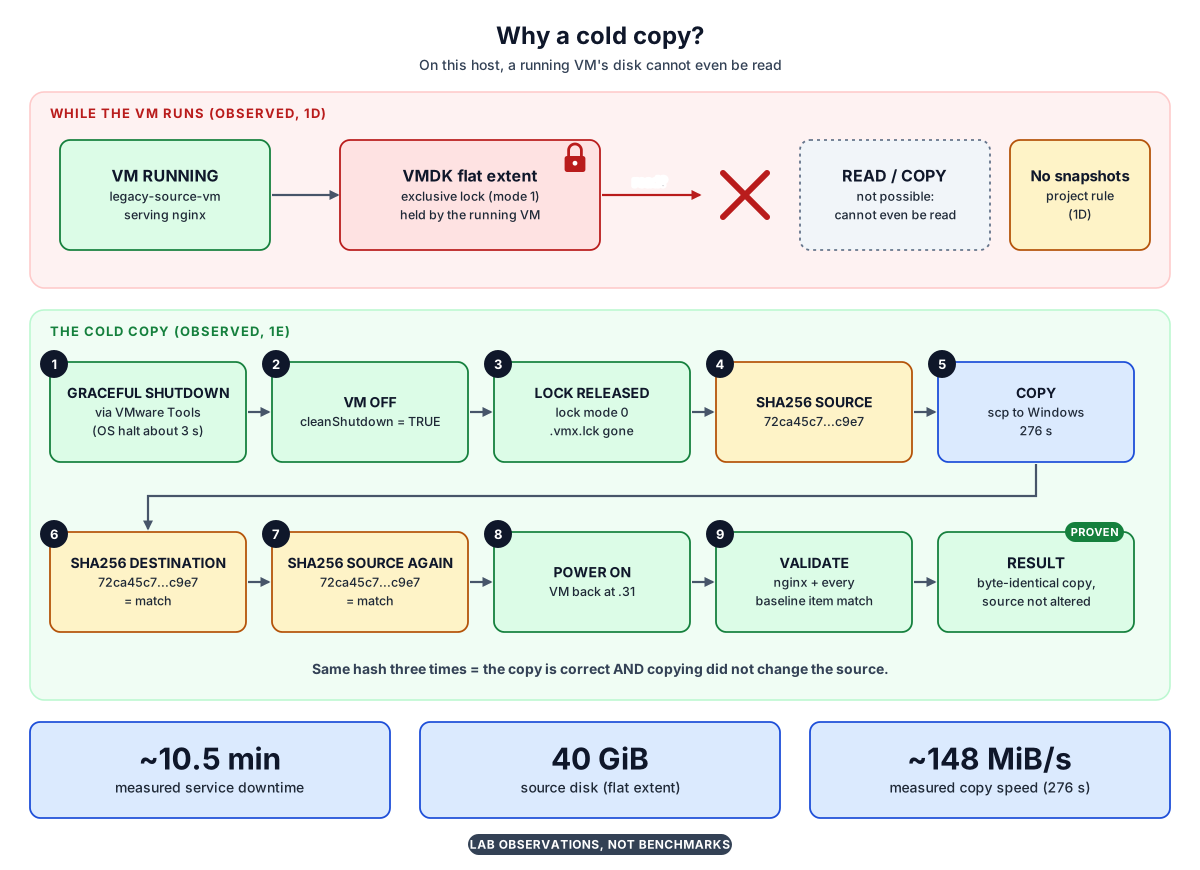
While the VM runs, its disk cannot even be read, and snapshots are not allowed. So: shut down, copy, and hash three times. Matching hashes prove the copy is exact and the source was not touched. The numbers are lab observations, not benchmarks.
Protect the golden artifact
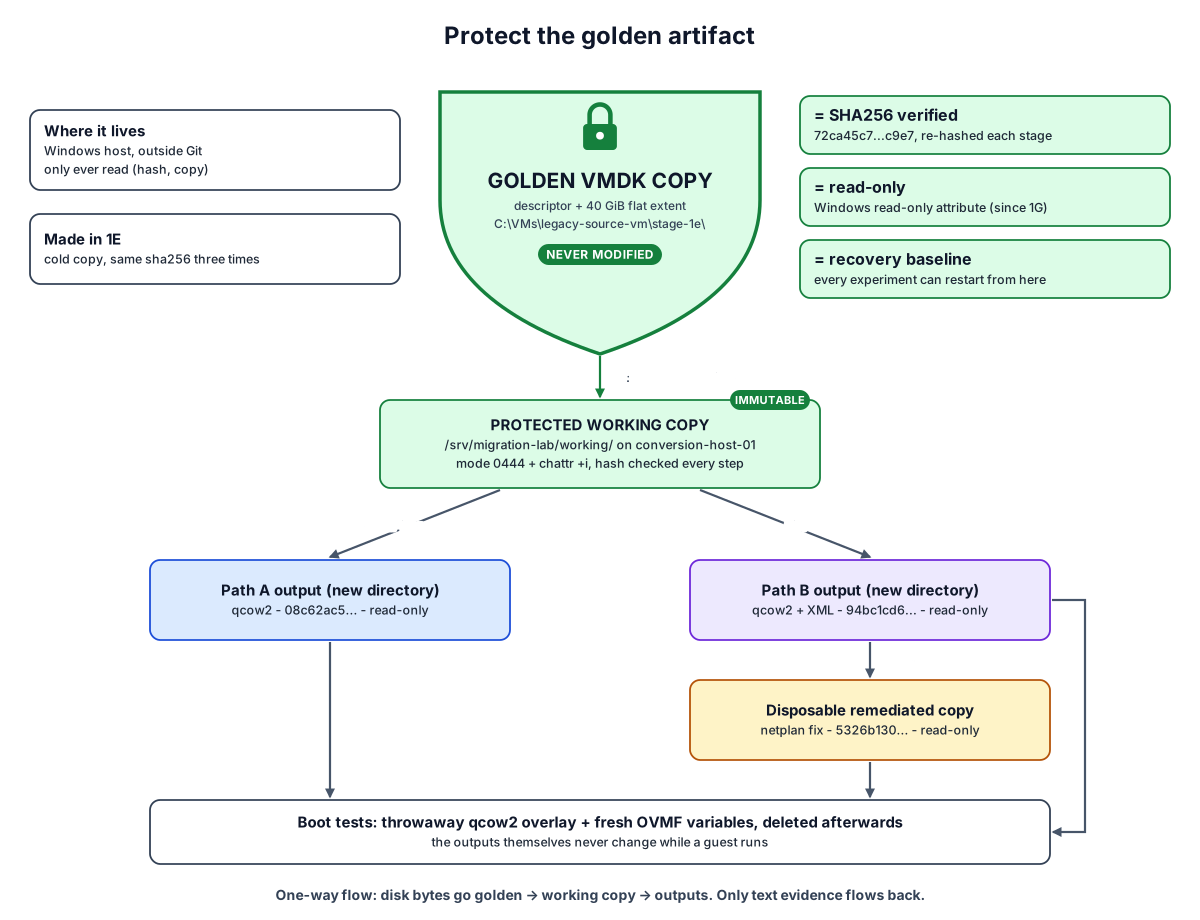
The golden copy is never touched. One immutable working copy feeds both conversions, and each conversion writes to a new directory. Fixes go onto a separate disposable copy. Boot tests run on throwaway overlays, and disk bytes only ever flow one way.
qemu-img vs virt-v2v
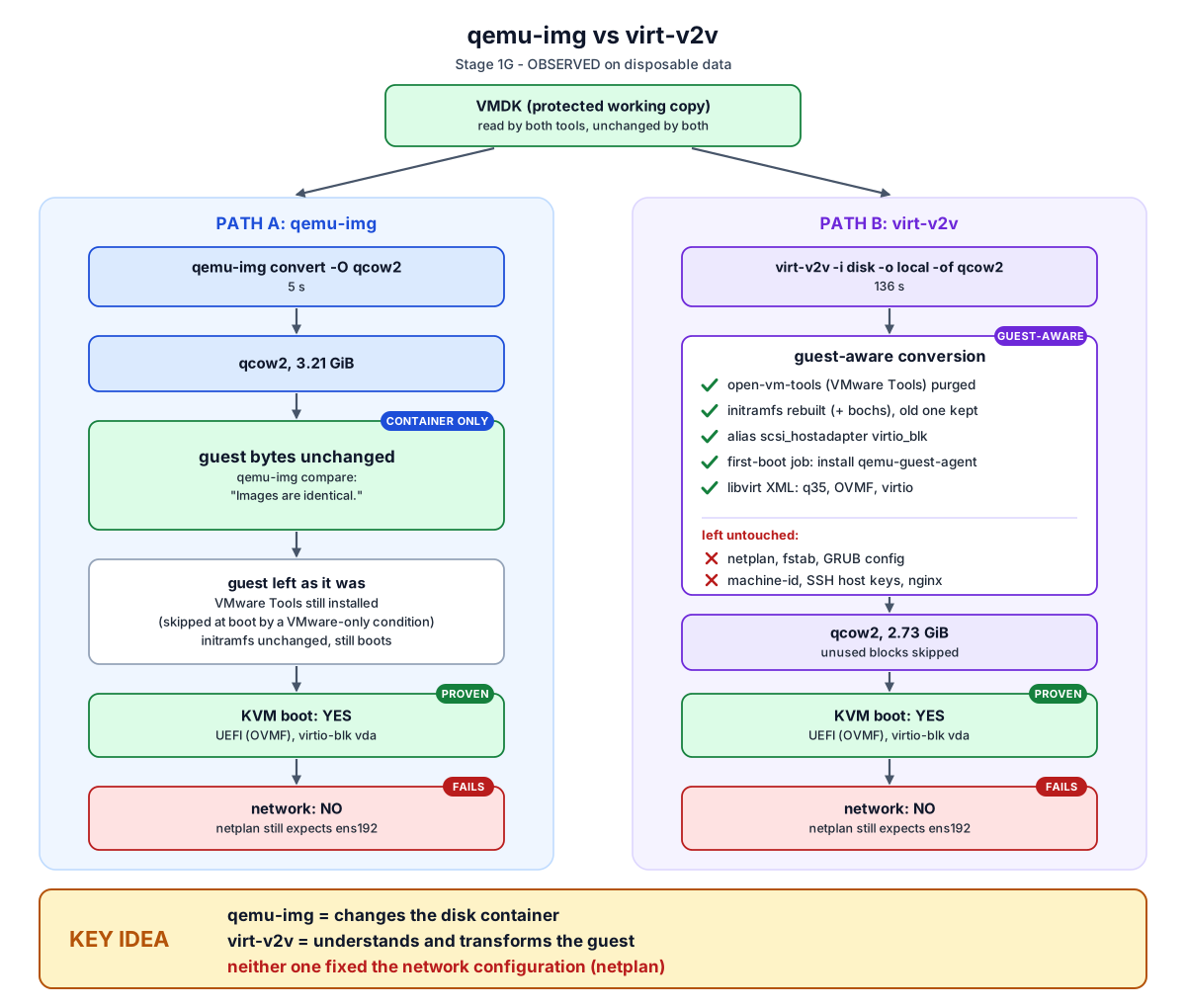
qemu-img only repackaged the disk: the guest bytes are identical. virt-v2v changed the guest: it removed VMware Tools, rebuilt the initramfs, added a first-boot job and wrote libvirt XML. Both booted under KVM. Neither fixed netplan, so neither had a network.
The hardware change
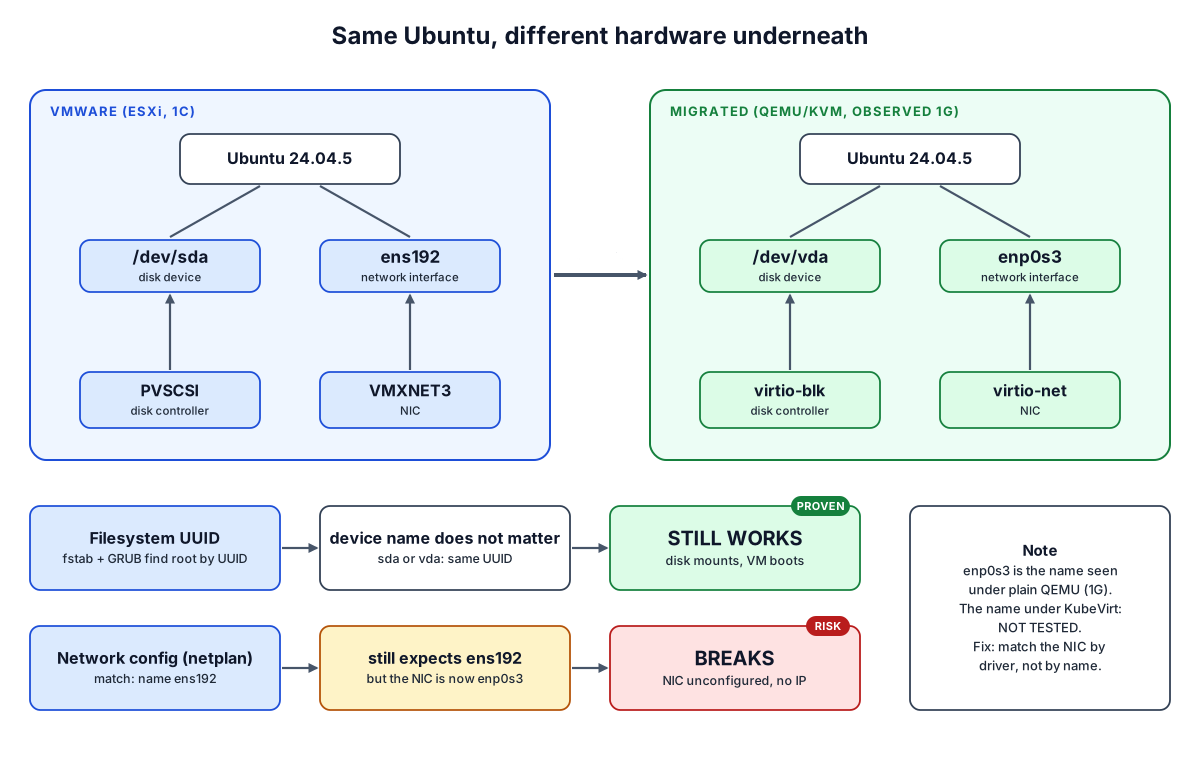
The disk moves from sda to vda, but mounts use UUIDs, so it still works. The NIC moves from ens192 to enp0s3, but netplan still asks for ens192, so it breaks. The interface name under KubeVirt is not tested yet.
The network failure and the lab proof
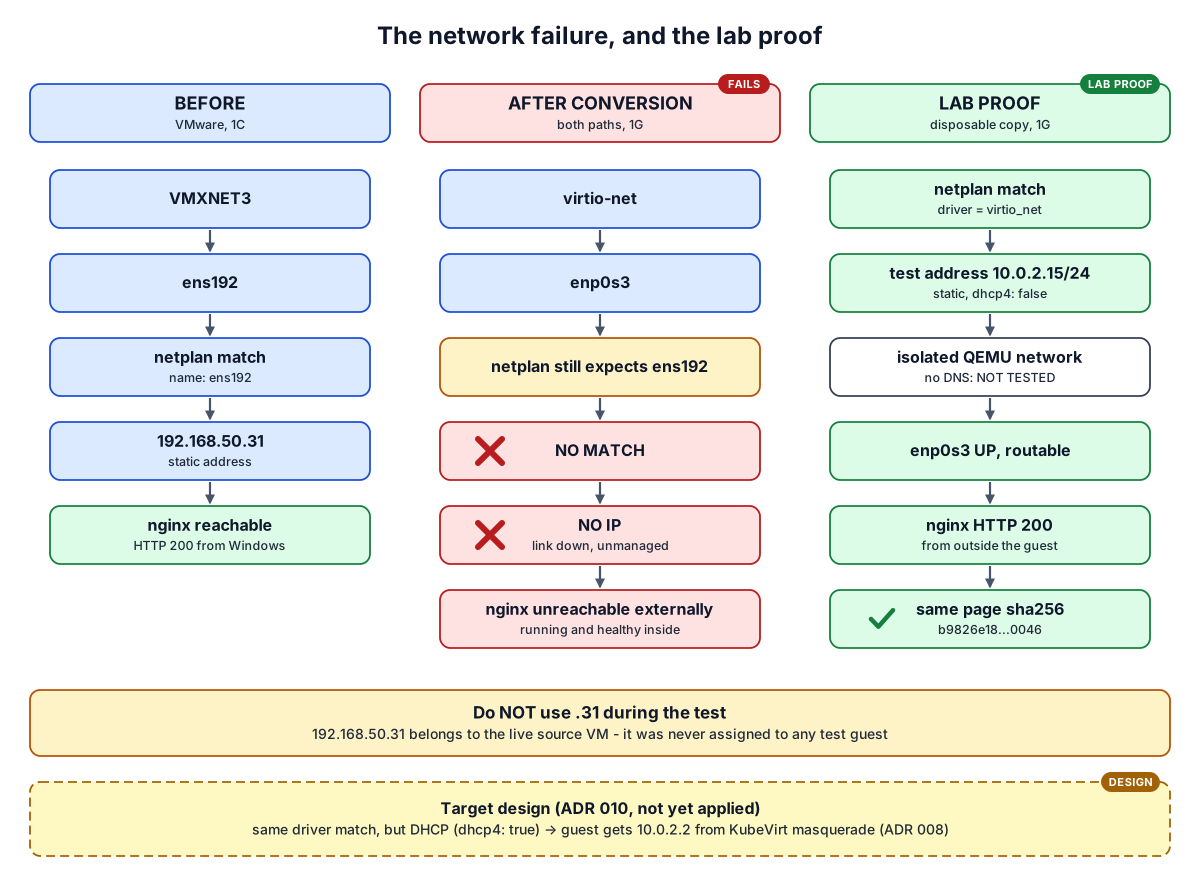
After conversion the guest is healthy but unreachable. On a disposable copy, matching the NIC by driver (virtio_net) fixed it. The lab test used a static test address, 10.0.2.15, on an isolated network, and got HTTP 200 with the same page hash. DHCP is the target design (ADR 010), not what the lab test used.
The UEFI story
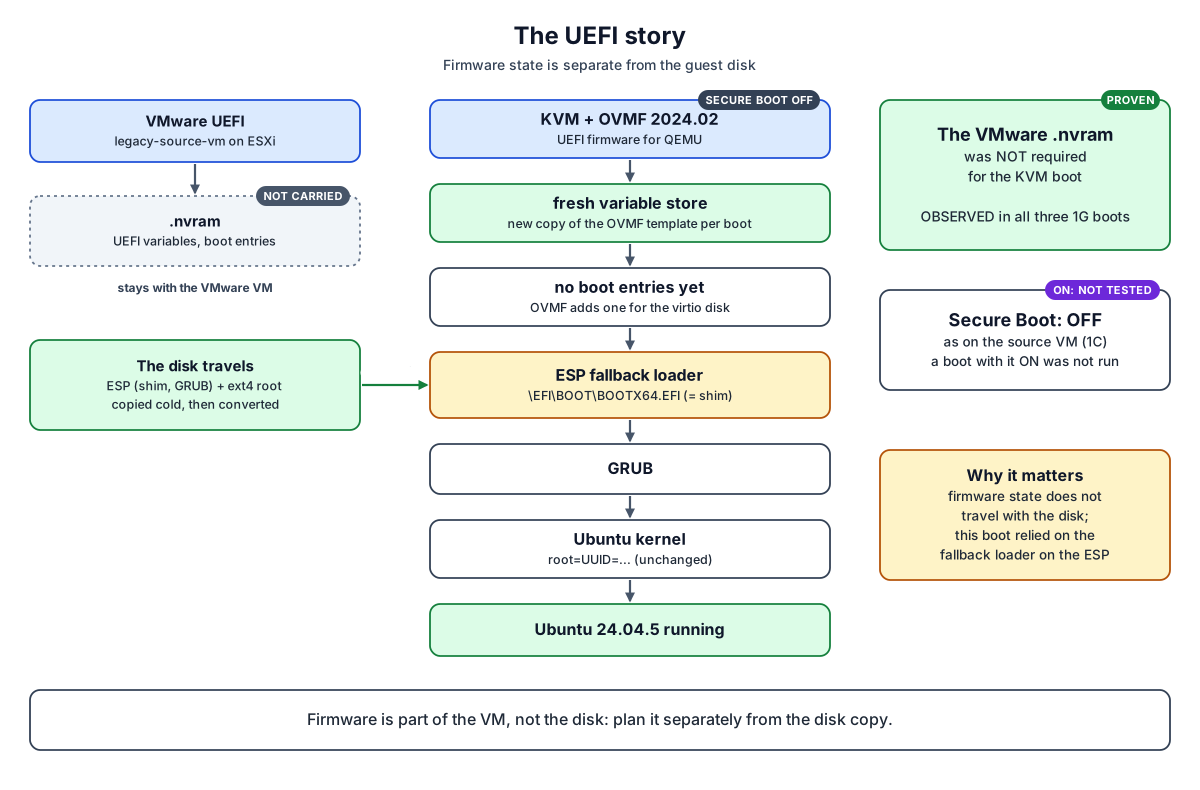
Firmware settings live in the VM, not on the disk. With a fresh, empty variable store, OVMF found the disk's fallback loader (BOOTX64.EFI, which is shim), then GRUB, then Ubuntu. The VMware .nvram was not needed. Secure Boot was off throughout.
Target network
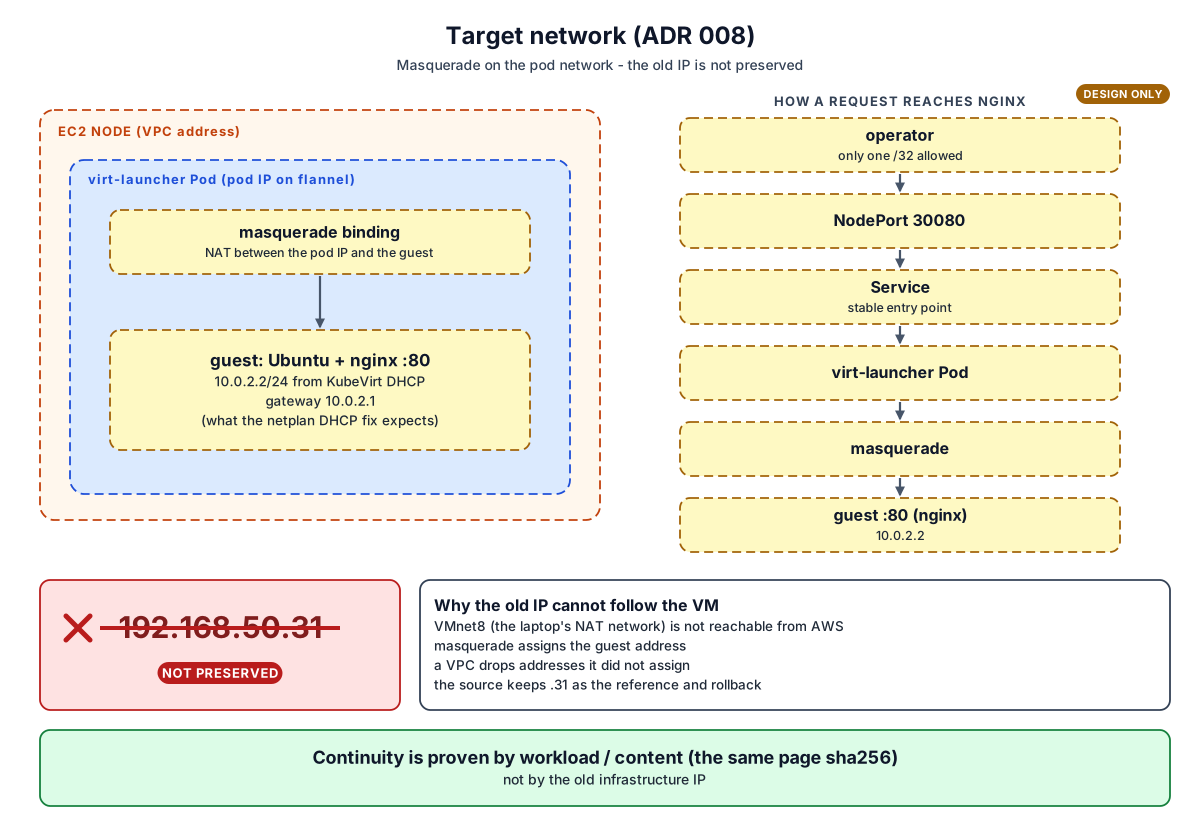
In KubeVirt the guest sits behind its Pod (masquerade) and gets 10.0.2.2 by DHCP. Clients reach it through a NodePort Service. The old address 192.168.50.31 does not follow it; the proof of success is the same page content.
Target storage
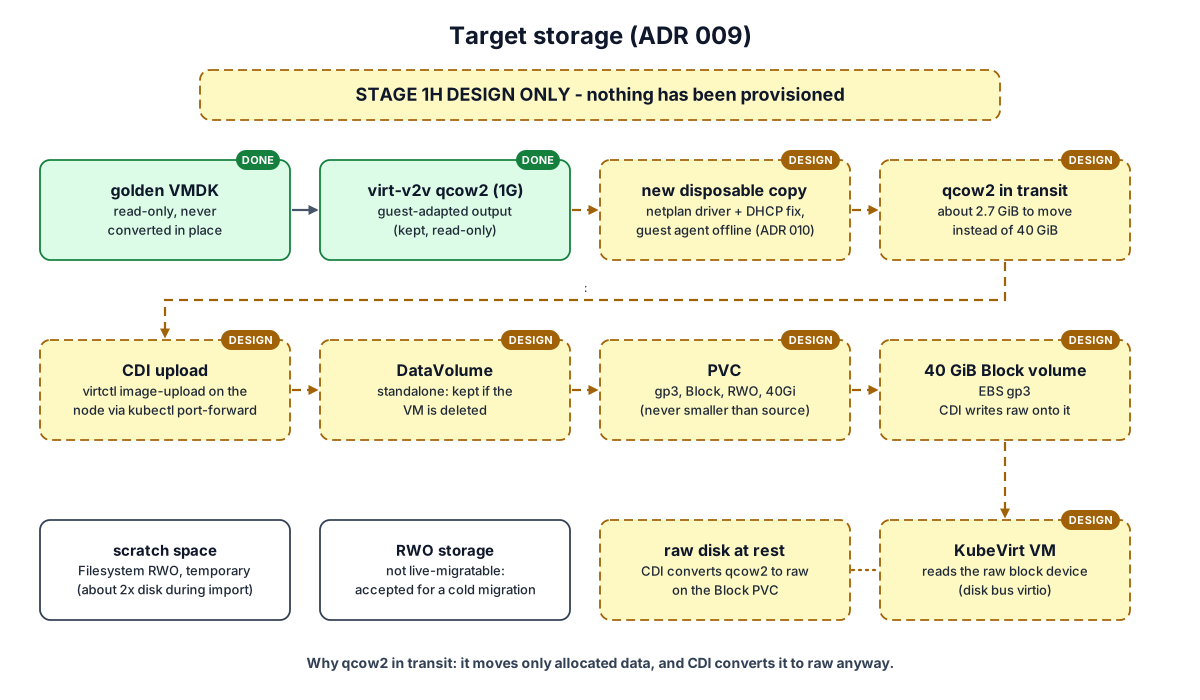
The design moves the prepared qcow2 (about 2.7 GiB) to the node, uploads it through CDI, and stores it raw on a 40 GiB gp3 Block PVC. At the end of Stage 1H only the golden VMDK and the 1G virt-v2v output existed; everything else was design. Stage 1I then carried out this path, and the PVC and its EBS volume were deleted in the Gate I5 teardown.
What changed?
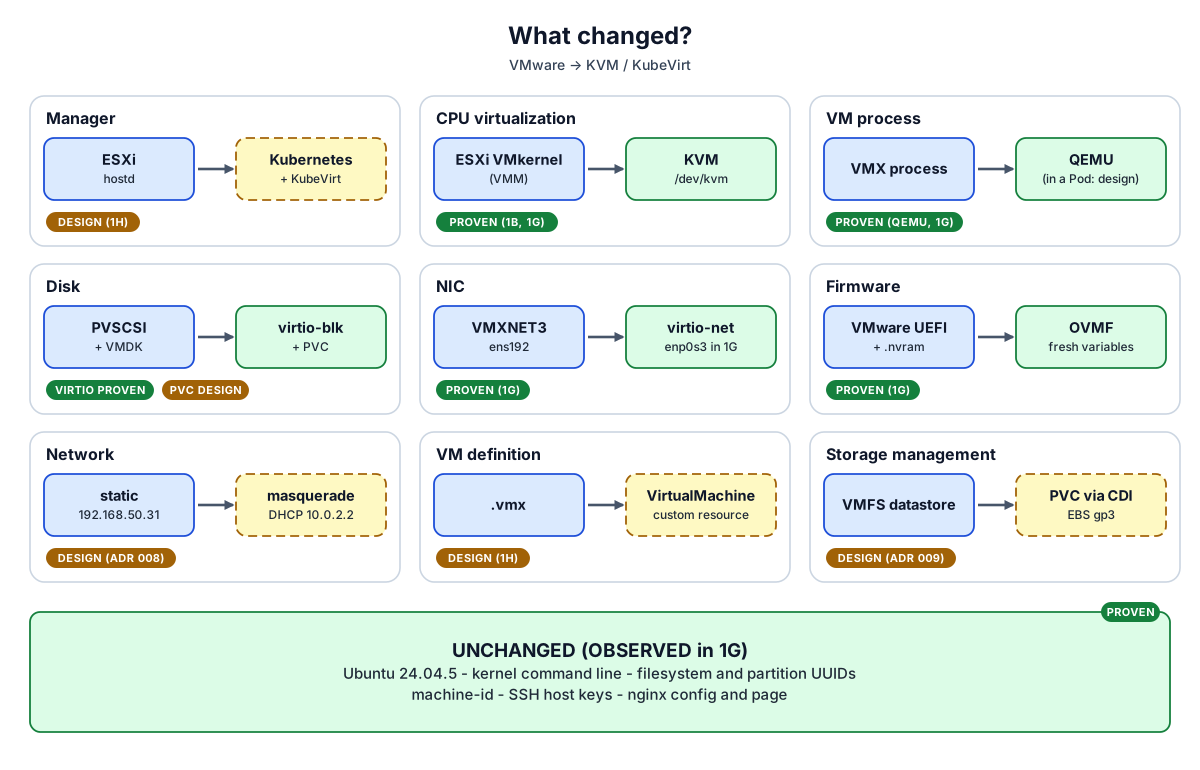
The hypervisor, VM process, devices and firmware changes were proven under QEMU/KVM in 1G. The manager, network, VM definition and storage changes were design only at the end of 1H, and were then carried out in Stage 1I. The guest's identity and content stayed the same.
Migration vs modernization
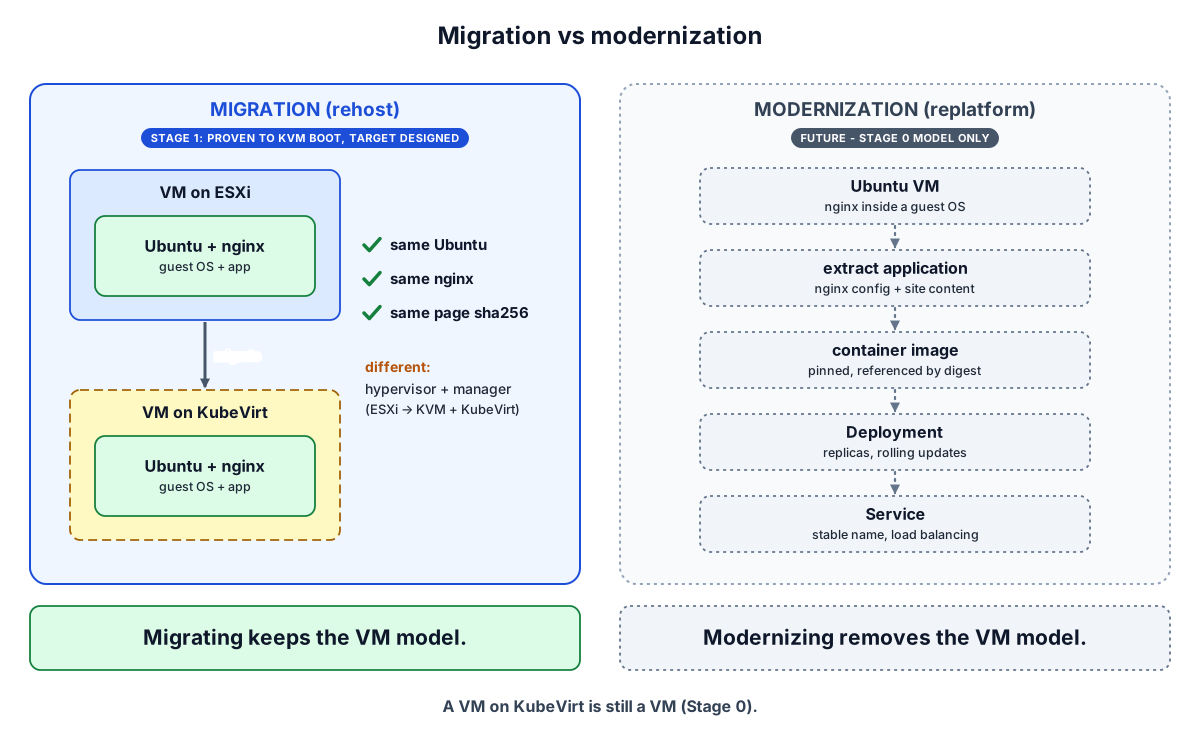
Migration keeps the whole VM and changes only its manager. Modernization takes the application out of the VM and runs it as containers. Stage 1 worked only on the migration path; modernization is a later, separate step.
The whole pipeline in 30 seconds
Final full pipeline
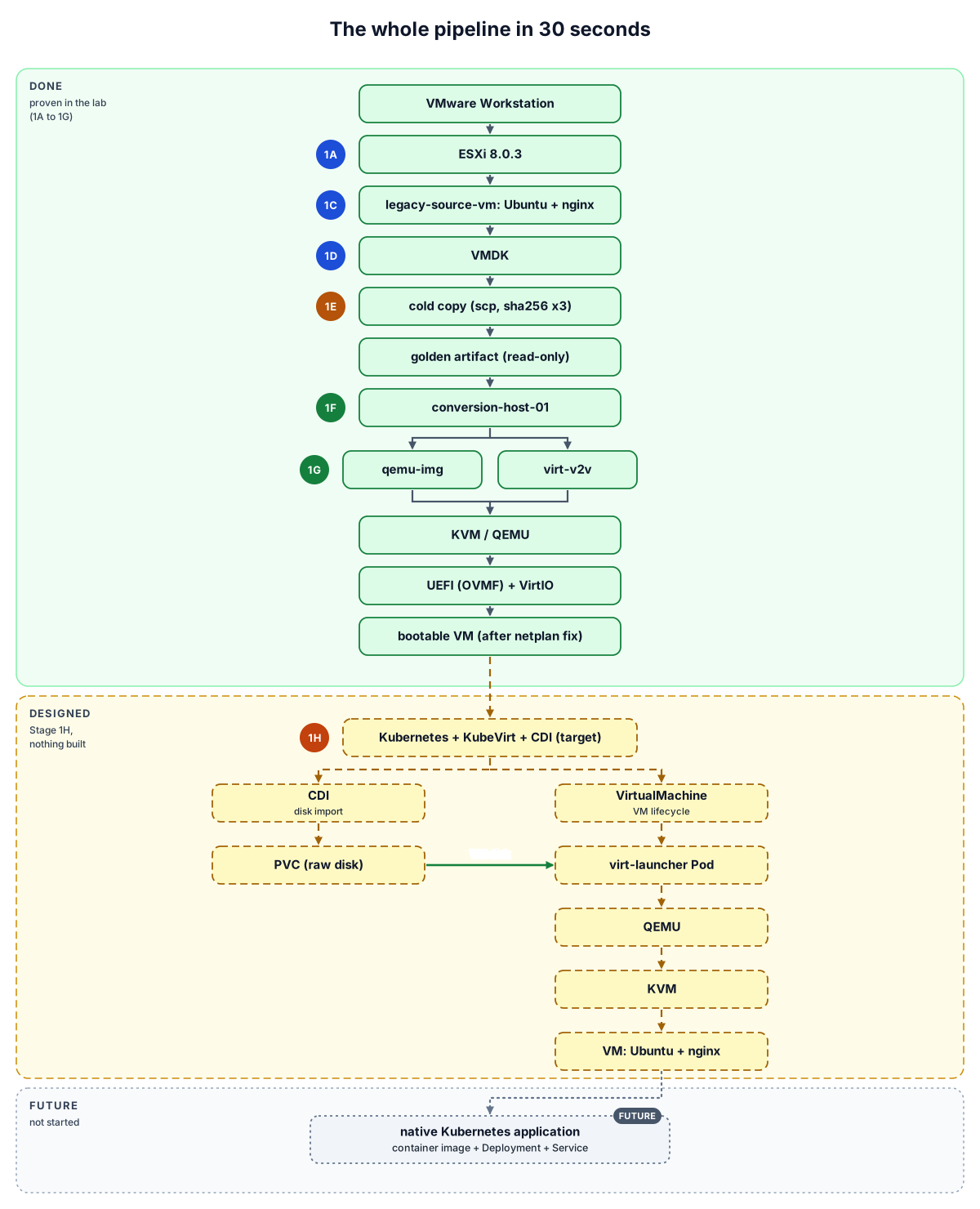
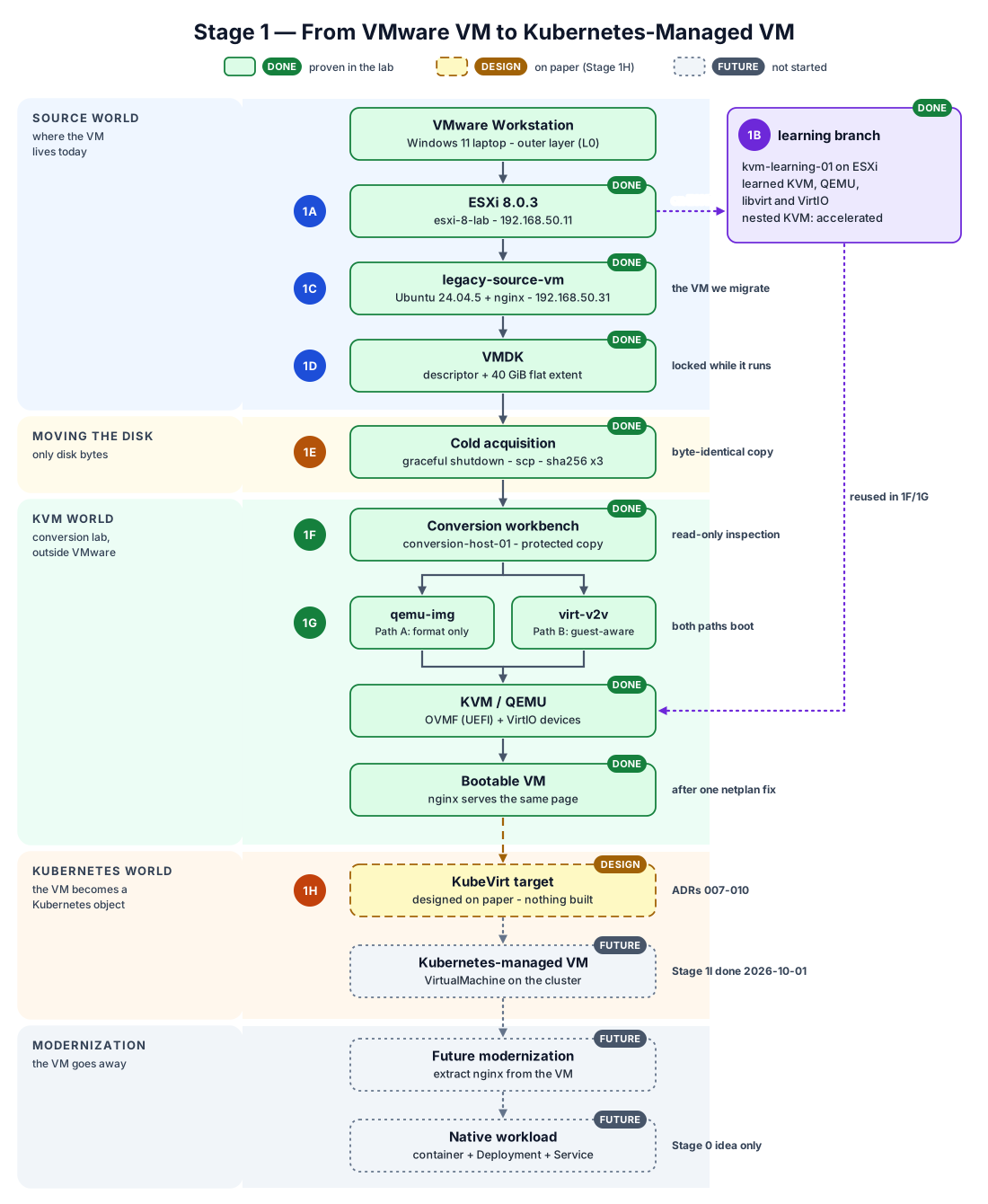
Green is what the lab proved. Yellow is what Stage 1H designed; nothing is built. Grey is future work. Stage 1I later built this target on AWS, migrated the VM and removed the target again (I1 – I5 PASS, completed 2026-10-01; see the Stage 1I visual).
5 things to remember
A VM is more than its disk.
KVM is the kernel virtualization engine; QEMU creates the VM.
Changing VMware hardware to VirtIO can break guest configuration.
qemu-img changes the disk container; virt-v2v can change the guest.
KubeVirt puts the VM lifecycle under Kubernetes.